
3Com Switch 7750 Configuration Guide



Displaying and Debugging 802.1x 403
n
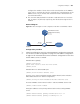
As for the dot1x version-user command, if you execute it in system view without
specifying the interface-list argument, the command applies to all ports. You can
also use this command in port view. In this case, this command applies to the
current port only and the interface-list argument is not needed.
Enabling
DHCP-triggered
Authentication
After performing the following configuration, 802.1X allows running DHCP on
access users, and triggers authentication when the user dynamically applies IP
address.
Configuring Guest VLAN
c
CAUTION:
■ The Guest VLAN function is available only when the switch operates in a
port-based authentication mode.
■ Only one Guest VLAN can be configured for each switch.
Displaying and
Debugging 802.1x
After performing the above configurations, you can display and verify the
802.1x-related configuration by executing the display command in any view.
You can clear 802.1x-related statistics information by executing the reset
command in user view.
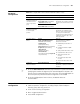
Configure the
client-version-checkin
g period timer
dot1x timer ver-period
ver-period-value
Optional
The default ver-period-value is 30
seconds
Table 321 Configure client version checking
Operation Command Description
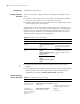
Table 322 Enable DHCP-triggered authentication
Operation Command Description
Enter system view system-view -
Enable
DHCP-triggered
authentication
dot1x dhcp-launch Optional
By default, DHCP-triggered
authentication is disabled.
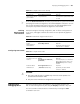
Table 323 Configure Guest VLAN
Operation Command Description
Enter system view system-view -
Configure port access
method
dot1x
port-method { macbased |
portbased }
Optional
The default port access method is
MAC-address-based. That is, the
macbased keyword is used by
default.
Enable the Guest
VLAN function
dot1x guest-vlan vlan-id
[ interface interface-list ]
Required
By default, the Guest VLAN
function is disabled.