
3Com Switch 7750 Configuration Guide


34 CHAPTER 2: LOGGING INTO AN ETHERNET SWITCH
Common User Interface
Configuration
c
CAUTION:
■ The auto-execute command command may cause you unable to perform
common configuration in the user interface, so use it with caution.
■ Before executing the auto-execute command command and save your
configuration, make sure you can log into the switch in other modes and
cancel the configuration.
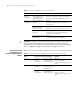
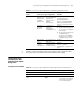
Table 10 Common user interface configuration
Operation Command Description
Lock the current user interface lock Optional
Execute this command in user
view.
A user interface is not locked
by default.
Specify to send messages to
all user interfaces/a specified
user interface
send { all | number | type
number }
Optional
Execute this command in user
view.
Disconnect a specified user
interface
free user-interface [ type ]
number
Optional
Execute this command in user
view.
Enter system view system-view -
Enable copyright information
displaying
copyright-info enable Optional
By default, copyright
information displaying is
disabled. That is, the
copyright information is not
displayed after a user logs into
a switch successfully.
Enter user interface view user-interface [ type ]
first-number [ last-number ]
-
Set the command that is
automatically executed when
a user logs into the user
interface
auto-execute command text Optional
By default, no command is
automatically executed when
a user logs into a user
interface.
Display the information about
the current user interface/all
user interfaces
display users [ all ] Optional
These two commands can be
executed in any view.
Display the physical attributes
and configuration of the
current/a specified user
interface
display user-interface [ type
number | number ]