
3Com Switch 7750 Configuration Guide

26 CHAPTER 1: CLI OVERVIEW
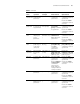
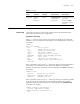
OSPF area
view
Configure
OSPF area
parameters
[SW7750-ospf-1
-area-0.0.0.1]
Execute the area 1
command in OSPF
view
Execute the quit
command to return to
OSPF view.
Execute the return
command to return to
user view.
BGP view Configure
parameters for
the (border
gateway
protocol) BGP
protocol
[SW7750-bgp] Execute the bgp
100 command in
system view
Execute the quit
command to return to
system view.
Execute the return
command to return to
user view.
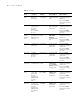
BGP IPv4
family
multicast
view
Configure
parameters for
BGP IPv4 family
multicast
[SW7750-bgp-a
f-mul]
Execute the
ipv4-family
multicast
command in BGP
view.
Execute the quit
command to return to
system view.
Execute the return
command to return to
user view.
IS-IS view Configure IS-IS
parameters
[SW7750-isis] Execute the isis
command in
system view.
Execute the quit
command to return to
system view.
Execute the return
command to return to
user view.
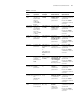
ES-IS view Configure
parameters for
the ES-IS
protocol
[SW7750-esis] Execute the esis
command in
system view.
Execute the quit
command to return to
system view.
Execute the return
command to return to
user view.
Routing
policy view
Configure
routing policies
[SW7750-route-
poli
cy]
Execute the
route-policy
policy1 permit
node 10 command
in system view
Execute the quit
command to return to
system view.
Execute the return
command to return to
user view.
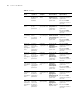
Basic ACL
view
Define rules for
a basic ACL
(ACLs with
their IDs
ranging from
2000 to 2999
are basic
ACLs.)
[SW7750-acl-
basic-2000]
Execute the acl
number 2000
command in
system view.
Execute the quit
command to return to
system view.
Execute the return
command to return to
user view.
Advanced
ACL view
Define rules for
an advanced
ACL (ACLs with
their IDs
ranging from
3000 to 3999
are advanced
ACLs.)
[SW7750-acl-
adv-3000]
Execute the acl
number 3000
command in
system view.
Execute the quit
command to return to
system view.
Execute the return
command to return to
user view.
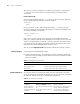
Tabl e 4 CLI views
View
Available
operation
Prompt
example Enter method Quit method