
3Com Switch 7750 Configuration Guide

Command Level/Command View 25
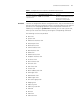
MSDP
domain view
Configure
MSDP domain
parameters
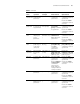
[SW7750-msdp] Execute the msdp
command in
system view.
Execute the quit
command to return to
system view.
Execute the return
command to return to
user view.
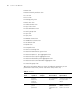
Port-isolate-
group view
Configure
port-isolate-gro
up parameters
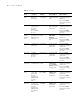
[SW7750-port-is
olate-group1]
Execute the
port-isolate
group 1 command
in system view.
Execute the quit
command to return to
system view.
Execute the return
command to return to
user view.
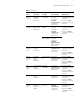
HWping
view
Configure
HWping test
group
parameters
[SW7750-nqa-a
dministrator-test
]
Execute the nqa
administrator
test command in
system view
Execute the quit
command to return to
system view.
Execute the return
command to return to
user view.
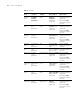
Public key
view
Configure RSA
public keys for
secure shell
(SSH) users
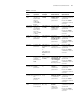
[SW7750-rsa-pu
blic-key]
Execute the rsa
peer-public-key
3Com003
command in
system view.
Execute the
peer-public-key end
command to return to
system view.
Public key
code view
Edit RSA public
keys of SSH
users
[SW7750-rsa-ke
y-code]
Execute the
public-key-code
begin command in
public key view.
Execute the
public-key-code end
command to return to
public key view.
PIM view Configure PIM
parameters
[SW7
750-pim] Execute the pim
command in
system view.
Use the multicast
routing-enable
command in
system view to
enable multicast
routing if multicast
routing is disabled.
Execute the quit
command to return to
system view.
Execute the return
command to return to
user view.
RIP view Configure RIP
parameters
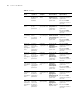
[SW7750-rip] Execute the rip
command in
system view
Execute the quit
command to return to
system view.
Execute the return
command to return to
user view.
OSPF view Configure
OSPF protocol
parameters
[SW7750-ospf-1
]
Execute the ospf
command in
system view
Execute the quit
command to return to
system view.
Execute the return
command to return to
user view.
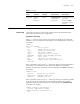
Table 4 CLI views
View
Available
operation
Prompt
example Enter method Quit method