
HP Performance Optimized Datacenter 240e North America (Adiabatic) Maintenance and Service Guide

Removal and replacement procedures 33
Humidity and temperature sensor
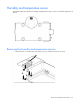
The HP POD 240e NA contains four humidity and temperature sensors, which are located throughout the IT
sections.
You need a screwdriver for installation.
Removing the humidity and temperature sensors
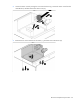
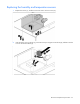
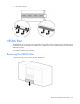
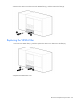
1. Remove the four screws that secure the sensor cover (1), and then remove the cover (2).