
NC51xx PCIe 10 Gigabit Server Adapter Software and Configuration Guide

Installation and configuration 12
4.
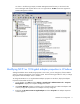
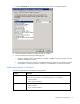
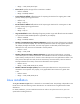
Select the Advanced tab. The list of properties and current values for the adapter appears.
5. Select the property to modify and adjust the Value as needed.
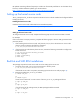
6. Save the settings by completing the following steps.
a. When the adapter property configuration is complete, click OK to accept the settings. Close the
Computer Management window.
b. If prompted to restart your computer, click Yes. Rebooting the system for new adapter properties
to take effect is not required; however, rebooting is recommended to re-initialize all registers.
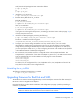
Advanced properties in Windows
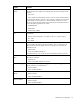
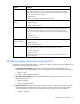
The following describes the available advanced properties.
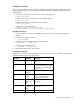
Property Parameter
Flow Control Enables the Ethernet controller to send out pause frames or accept pause frames at
Ethernet level so that traffic is moderated and packets are not dropped.
• Default: Enabled
• Values: Enabled/Disabled
Large Send Offload Enables offloading of TCP Large Send Offload packets.
• Default: Enabled
• Values: Enabled/Disabled