
NC51xx PCIe 10 Gigabit Server Adapter Software and Configuration Guide

Installation and configuration 11
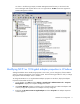
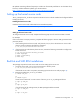
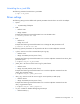
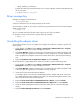
As shown in the following example, a NetXen Management Interface entry is also listed in the
Device Manager under System devices. This is a logical device. Do Not execute tests against the
NetXen Management Interface.
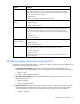
Modifying NC51xx 10 Gigabit adapter properties in Windows
Although the default values should be appropriate in most cases, you can change any of the available
options to meet the requirements of your specific system. Use the following procedure to verify or change
the properties after the adapter driver is installed.
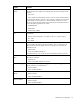
To change the HP NC51xx 10 Gigabit Ethernet adapter properties in Windows, display the Adapter
Properties Advanced tab as follows:
1. On the desktop, click Start and select Settings > Control Panel > Administrative Tools > Computer
Management to display the Computer Management window.
2. Click Device Manager and then scroll down the list of hardware devices to Network Adapters and
click the plus (+). This expands the list of adapters currently configured.
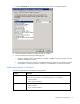
3. Right-click the HP NC51xx PCIe 10 Gigabit Adapter and select Properties. The Adapter Properties
window appears.