
R2511-HP MSR Router Series Security Configuration Guide(V5)





49
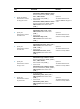
Ste
p
Command
Remarks
3. Specify the default
authentication method
for all types of users.
• In non-FIPS mode
authentication default { hwtacacs-scheme
hwtacacs-scheme-name [ local ] | local |
none | radius-scheme
radius-scheme-name [ local ] }
• In FIPS mode:
authentication default { hwtacacs-scheme
hwtacacs-scheme-name [ local ] | local |
radius-scheme radius-scheme-name
[ local ] }
Optional.
The default authentication
method is local for all types of
users.
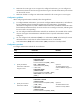
4. Specify the
authentication method
for DVPN users.
• In non-FIPS mode:
authentication dvpn { local | none |
radius-scheme radius-scheme-name
[ local ] }
• In FIPS mode:
authentication dvpn { local |
radius-scheme radius-scheme-name
[ local ] }
Optional.
The default authentication
method is used by default.
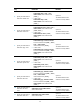
5. Specify the
authentication method
for LAN users.
• In non-FIPS mode:
authentication lan-access { local | none |
radius-scheme radius-scheme-name
[ local | none ] }
• In FIPS mode:
authentication lan-access { local |
radius-scheme radius-scheme-name
[ local ] }
Optional.
The default authentication
method is used by default.
6. Specify the
authentication method
for login users.
• In non-FIPS mode:
authentication login { hwtacacs-scheme
hwtacacs-scheme-name [ local ] | local |
none | radius-scheme
radius-scheme-name [ local ] }
• In FIPS mode:
authentication login { hwtacacs-scheme
hwtacacs-scheme-name [ local ] | local |
radius-scheme radius-scheme-name
[ local ] }
Optional.
The default authentication
method is used by default.
7. Specify the
authentication method
for portal users.
• In non-FIPS mode:
authentication portal { local | none |
radius-scheme radius-scheme-name
[ local ] }
• In FIPS mode:
authentication portal { local |
radius-scheme radius-scheme-name
[ local ] }
Optional.
The default authentication
method is used by default.