
R2511-HP MSR Router Series Fundamentals Configuration Guide(V5)



89
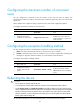
Configuring the maximum number of concurrent
users
You can configure this command to limit the number of users that can enter the system view
simultaneously. When the number of concurrent users reaches the upper limit, other users cannot enter
system view.
When multiple users configure a setting in system view, the most recent configuration applies.
To configure the maximum number of concurrent users:
Ste
p
Command
Remarks
1. Enter system view.
system-view N/A
2. Configure the maximum
number of concurrent users.
configure-user count number
Optional.
By default, up to two users can
perform operations in system view
at the same time.
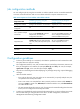
Configuring the exception handling method
You can configure the device to handle system exceptions in one of the following methods:
• reboot—The device automatically reboots to recover from the error condition.
• maintain—The device stays in the error condition so you can collect complete data, including error
messages, for diagnosis. With this method, you must manually reboot the device.
To configure the exception handling method:
Ste
p
Command
Remarks
1. Enter system view.
system-view N/A
2. Configure the exception
handling method for the
system.
system-failure { maintain | reboot }
Optional.
By default, the system uses the
reboot method when an exception
occurs.
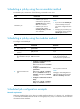
Rebooting the device
CAUTION:
• Device reboot can interrupt network services.
• To avoid data loss, use the save command to save the current configuration before a reboot.
• Use the display startup and display boot-loader commands to verify that you have correctly set the
startup configuration file and the main system software image file. If the main system software image file
has been corrupted or does not exist, the device cannot reboot. You must re-specify a main system
software image file, or power off the device and then power it on so the system can reboot with the
backup system software image file.
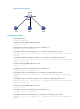
You can reboot the device in one of the following ways to recover from an error condition: