
R2511-HP MSR Router Series Fundamentals Configuration Guide(V5)

35
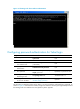
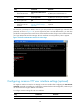
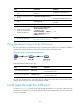
Figure 13 Telnetting to the device without authentication
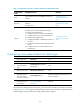
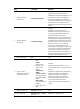
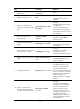
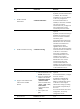
Configuring password authentication for Telnet login
Ste
p
Command
Remarks
1. Enter system view.
system-view N/A
2. Enable Telnet server.
telnet server enable N/A
3. Enter one or multiple VTY
user interface views.
user-interface vty first-number
[ last-number ]
N/A
4. Enable password
authentication.
authentication-mode password N/A
5. Set a password.
set authentication password { cipher |
simple } password
By default, no password is set.
6. Configure the user privilege
level for login users.
user privilege level level The default level is 0.
7. Configure common settings
for VTY user interfaces.
See "Configuring common VTY user
interface setting
s (optional)."
Optional.
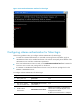
The next time you attempt to Telnet to the device, you must provide the configured login password, as
shown in Figure 14. If the max
imum number of login users has been reached, your login attempt fails and
the message "All user interfaces are used, please try later!" appears.