
R2511-HP MSR Router Series Fundamentals Configuration Guide(V5)
152
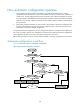
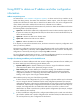
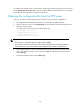
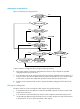
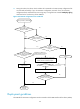
• If the IP address and the domain name of the TFTP server are not contained in the DHCP response
or they are illegitimate, the device broadcasts a TFTP request.
After broadcasting a TFTP request, the device selects the TFTP server that responds first to obtain the
configuration file. If the requested configuration file does not exist on the TFTP server, the request
operation fails, and the device removes the temporary configuration and starts up with factory defaults.
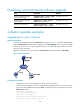
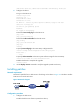
If the device and the TFTP server reside in different subnets, configure the UDP Helper function for the
gateway to change the broadcast TFTP request from the device to a unicast packet and forward the
unicast packet to the specified TFTP server. For more information about UDP Helper, see Layer 3—IP
Services Configuration Guide.
Executing the configuration file
After obtaining the configuration file, the device removes the temporary configuration and executes the
configuration file. If no configuration file is obtained, the device removes the temporary configuration
and starts up with factory defaults.
The configuration file is deleted after executed. Save the configuration by using the save command.
Otherwise, the device has to perform automatic configuration again after reboot. For more information
about the save command, see Fundamentals Command Reference.
Automatic configuration from a USB disk
The device supports automatic configuration from a USB disk. When automatic configuration from a USB
disk is enabled, after you insert a UBS disk to the device's first USB interface and power on the device,
the device tries to locate and load the configuration file on the USB disk at startup.
Automatic configuration procedure
1. After the device loads its software images, it searches the root directory of its first USB disk (usba0)
for one of the following files in order from high to low:
{ A configuration file named in the format device serial number.cfg.
{ Configuration file autodeploy.cfg.
{ A configuration file named in the format xxx.autodeploy.cfg. The xxx string is user-defined and
can have up to 64 characters.
If none of the files exists, the automatic configuration fails.
2. If the device finds one of the files on the USB disk, it compares the file with the file
autodeploy.cfg.bak on the device. If the two files have the same configuration, the device executes
the current main startup configuration file and the automatic configuration process ends
successfully.
3. If the file autodeploy.cfg.bak does exist or has different configurations, the device saves two
copies of the configuration file found on the USB disk to the device:
{ One copy is saved with the name autodeploy.cfg.
{ The other copy is saved as the backup file with the name autodeploy.cfg.bak.
After saving the files successfully, the device specifies the file autodeploy.cfg as the main startup
configuration file and reboots.
If the save operation fails, the automatic configuration fails.