
R2511-HP MSR Router Series Fundamentals Configuration Guide(V5)


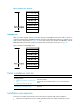
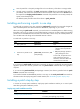
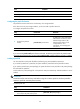
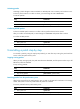

142
Task Remarks
Loading a patch file Required.
Activating patches Required.
Confirming ACTIVE patches Optional.
Configuring the patch file location
The patch file location must be the root directory of a storage medium.
If the device has only one storage medium, you do not need to perform this task.
To configure the patch file location:
Ste
p
Command
Remarks
1. Enter system view.
system-view N/A
2. Configure the patch file
location.
patch location patch-location
By default, the system loads patch
files from the root directory of the
default storage medium. (The
default storage medium is user
configurable. For more
information, see "Managing the
file system.")
NOTE:
If you execute the patch install
patch-location
command, the directory specified for the
patch-location
argument replaces the directory specified with the patch location command after the upgrade is complete.
Loading a patch file
You must load the correct patch file before performing any patch installation operations.
If you install a patch from a patch file, the system loads the patch file from the patch file location.
If you install a patch from a patch package, the system finds the correct patch file in the patch package
file and loads the patch file.
In FIPS mode, the patch package file or the patch file must pass authenticity verification before it can be
loaded.
IMPORTANT:
Set the file transfer mode to binary mode before using FTP or TFTP to upload or download patch files.
Otherwise, patch file cannot be parsed correctly.
To load a patch file:
Ste
p
Command
1. Enter system view.
system-view
2. Load the patch file from the storage media (Flash
or CF card) to the patch memory area.
patch load [ file patch-package ]