
R2511-HP MSR Router Series Fundamentals Configuration Guide(V5)

128
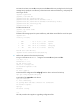
# Create a local user account abc, set its password to abc and the user privilege level to level 3 (the
manage level), specify the root directory of the Flash as the authorized directory, and specify the
service type as FTP.
<Sysname> system-view
[Sysname] local-user abc
[Sysname-luser-abc] password simple abc
[Sysname-luser-abc] authorization-attribute level 3
[Sysname-luser-abc] authorization-attribute work-directory flash:/
[Sysname-luser-abc] service-type ftp
[Sysname-luser-abc] quit
# Enable the FTP server.
[Sysname] ftp server enable
[Sysname] quit
# Examine the storage space for space insufficiency and delete unused files for more free space.
<Sysname> dir
Directory of flash:/
0 drw- - Dec 07 2005 10:00:57 filename
1 drw- - Jan 02 2006 14:27:51 logfile
2 -rw- 1216 Jan 02 2006 14:28:59 config.cfg
3 -rw- 1216 Jan 02 2006 16:27:26 back.cfg
2540 KB total (2511 KB free)
<Sysname> delete /unreserved flash:/back.cfg
2. Perform FTP operations from the PC (FTP client):
# Log in to the FTP server at 1.1.1.1 using the username abc and password abc.
c:\> ftp 1.1.1.1
Connected to 1.1.1.1.
220 FTP service ready.
User(1.1.1.1:(none)): abc
331 Password required for abc.
Password:
230 User logged in.
# Download the configuration file config.cfg from the device to the PC for backup.
ftp> get config.cfg back-config.cfg
# Upload the file newest.bin to the device.
ftp> put newest.bin
200 Port command okay.
150 Opening ASCII mode data connection for /newest.bin.
226 Transfer complete.
ftp> bye
221 Server closing.
c:\>
This FTP procedure also applies to upgrading configuration files.