
R2511-HP MSR Router Series Fundamentals Configuration Guide(V5)


116
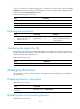
To manage the space of a storage medium, perform one of the following tasks in user view:
Task Command Remarks
Repair a storage medium. fixdisk device N/A
Format a storage medium. format device [ FAT16 | FAT32 ]
FAT16 and FAT32 are not
applicable to a Flash.
Mounting and unmounting a storage medium
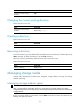
The following matrix shows the feature and router compatibility:
Hardware Feature
com
p
atible
MSR900 Yes.
MSR93X Yes.
MSR20-1X Yes.
MSR20 Yes.
MSR30 Yes.
MSR50 Yes.
MSR1000 Yes.
You can use the mount or umount command to mount or unmount a hot-swappable storage medium,
such as a CF card.
By default, a storage medium is automatically mounted when connected to the device. However, when
a storage medium is connected to a lower version system, the system cannot recognize the storage
medium. To perform read and write operations to the storage medium, you must mount it.
An unmounted device is in disconnected state, and can be removed safely. If you unplug a storage
medium without unmounting it, files on the storage medium or even the storage medium itself might be
damaged.
An unmounted storage medium can be used only when it is mounted again.
Restrictions and guidelines
CAUTION:
To avoid file system corruption, do not plug in or unplug storage media or perform active/standby
switchover while the system is mounting or unmounting the storage media.
Before removing a mounted storage medium from the system, unmount it to avoid damaging the storage
medium.
Before you unplug a USB disk, complete these tasks:
• Make sure the system has recognized the USB disk and the USB disk LED is not blinking.
• Use the umount command to unmount it.
Configuration procedure
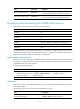
Perform one of the following tasks in user view as appropriate: