
R2511-HP MSR Router Series Fundamentals Configuration Guide(V5)



113
The copy operation enables you to create a file. You can also create a file by performing the download
operation or using the save command.
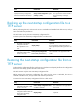
Displaying file information
Perform this task in user view.
Task Command
Display file or directory information. dir [ /all ] [ file-url | /all-filesystems ]
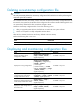
Displaying the contents of a file
Perform this task in user view.
Task Command
Remarks
Display the contents of a file.
more file-url [ | { begin | exclude |
include } regular-expression ]
Only text files can be displayed.
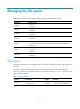
Renaming a file
Perform this task in user view.
Task Command
Rename a file. rename fileurl-source fileurl-dest
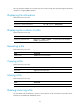
Copying a file
Perform this task in user view.
Task Command
Copy a file. copy fileurl-source fileurl-dest
Moving a file
Perform this task in user view.
Task Command
Move a file. move fileurl-source fileurl-dest
Deleting/restoring a file
You can delete a file permanently or move it to the recycle bin. A file moved to the recycle bin can be
restored, but a permanently deleted file cannot.