
R2511-HP MSR Router Series Fundamentals Configuration Guide(V5)



111
Managing the file system
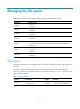
The following matrix shows the storage media supported on different router models:
Hardware Stora
g
e media
MSR900
• Flash
• USB disk
MSR93X
• Flash
• USB disk
MSR20-1X
• Flash
• USB disk
MSR20
• CF card
• USB disk
MSR30
• Flash (supported on MSR30-10, MSR30-11E, and MSR30-11F)
• CF card (supported on MSR30-16, MSR30-20, MSR30-40, and MSR30-60)
• USB disk
MSR50
• Flash (unsupported only on MPUF)
• CF card
• USB disk
MSR1000
• Flash
• USB disk
Overview
This chapter describes how to manage the device's file system, including the storage media, directories,
and files.
The storage media use the storage medium types as their names, for example, flash and cfa0.
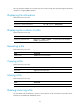
When you specify a file, enter the file name in one of the formats shown in Table 24. T
he similar rules
apply to directory names.
Table 24 File name formats
Format Descri
p
tion Len
g
th
Exam
p
le
file-name
Specifies a file in the current
working directory.
1 to 91
characters
a.cfg indicates a file named a.cfg
in the current working directory.