
R2511-HP MSR Router Series Fundamentals Configuration Guide(V5)



110
Deleting a next-startup configuration file
CAUTION:
This task permanently deletes the next-startup configuration file from the device. Before performing this
task, back up the file as needed.
You can delete the main, the backup, or both. If the main and backup next-startup configuration files are
the same file, the system sets the attribute of the configuration file to NULL instead of deleting the file. You
can permanently delete the file after its attribute changes to NULL.
Delete the next-startup configuration file if one of the following occurs:
• After you upgrade system software, the file does not match the new system software.
• The file is corrupted or not fully compatible with the device.
After the file is deleted, the device uses factory defaults at the next startup.
Perform the following task in user view:
Task Command
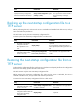
Delete the next-startup configuration file. reset saved-configuration [ backup | main ]
Displaying and maintaining configuration files
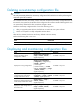
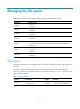
Task Command
Remarks
Display information about
configuration rollback.
display archive configuration [ |
{ begin | exclude | include }
regular-expression ]
Available in any view.
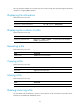
Display the running configuration.
display current-configuration
[ configuration [ configuration ] |
controller | interface
[ interface-type
[ interface-number ] ] | exclude
modules ] [ by-linenum ] [ | { begin
| exclude | include }
regular-expression ]
Available in any view.
Display the next-startup
configuration file saved on the
storage media of the device.
display saved-configuration
[ by-linenum ] [ | { begin | exclude
| include } regular-expression ]
Available in any view.
Display the configuration files used
at this startup and the next startup.
display startup [ | { begin |
exclude | include }
regular-expression ]
Available in any view.
Display the valid configuration in
the current view.
display this [ by-linenum ] [ |
{ begin | exclude | include }
regular-expression ]
Available in any view.