
R2511-HP MSR Router Series Fundamentals Command Reference(V5)
45
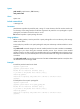
patch load
Use patch load to load patches from the storage media (Flash or CF card) to the patch memory area.
Syntax
patch load [ file filename ]
Default
The system loads patch files from the root directory of storage media.
Views
System view
Default command level
3: Manage level
Parameters
file filename: Specifies a patch package file name. If the package file is specified, the system loads patch
files from the patch package. If no package file is specified, the system loads patch files from the patch
file location specified with the patch location command.
Usage guidelines
Before loading patches, save the patch file or patch package file to the root directory of the storage
media on the device.
In FIPS mode, the patch package file or the patch file must pass authenticity verification before it can be
loaded.
Examples
# Load patches from a patch file.
<Sysname> system-view
[Sysname] patch load
# Load patches from a patch package file.
<Sysname> system-view
[Sysname] patch load file flash:/patchpackege.bin
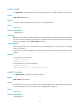
patch location
Use patch location to configure the patch file location.
Syntax
patch location patch-location
Default
The patch file location is the root directory of the default storage medium. (The default storage medium
is user configurable. For more information, see "Managing the file system.")
Views
System view
Default command level
3: Manage level