
Use Guide - 5th Chapter: Problem Solving


Chapter 5 Problem solving 152
Correcting output quality problems
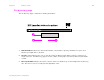
1 Use the EIO menu to manually set the link speed (10 or 100 Mbps) and communication mode (full or
half-duplex) so that they match the network. (See “EIO submenu” on page 190). For example, if the port
on the network switch is set for 100TX full-duplex operation, you must set the print server for 100TX
full-duplex operation.
2 Turn the printer off and back on and check the print server operation. If the print server fails to link, try a
different network cable.