
Use Guide - 5th Chapter: Problem Solving


Chapter 5 Problem solving 117
Understanding printer messages
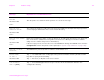
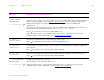
41.3 UNEXPECTED SIZE
TRAY xx
alternates with
To change size press
A tray (xx) is loaded with paper that is longer or shorter in the feed direction than the size
configured for the tray.
Press to get to TRAY xx SIZE=. Reconfigure the size in a tray so the printer will use a tray
with the size required for the print job.
If the error does not clear, turn the printer off, then turn the printer on.
If this message persists, contact an HP-authorized service or support provider. (See the
introduce guide on the product CD, or go to www.hp.com/cposupport/
.)
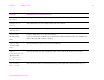
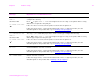
41.5 UNEXPECTED TYPE
TRAY xx
alternates with
To change type press
The tray (xx) is loaded with paper that is not the same type configured for the tray.
Press to get to TRAY xx TYPE=. Reconfigure the type in a tray so the printer will use a tray
with the type required for the print job.
If the error does not clear, turn the printer off, then turn the printer on.
If this message persists, contact an HP-authorized service or support provider. (See the
introduce guide on the product CD, or go to www.hp.com/cposupport/
.)
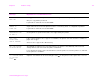
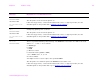
49.xxxxx A critical firmware error has occurred.
If this message persists, contact an HP-authorized service or support provider. (See the
introduce guide on the product CD, or go to www.hp.com/cposupport/
.)
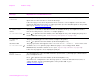
50.x FUSER ERROR A fuser error has occurred.
If this message persists, contact an HP-authorized service or support provider. (See the
introduce guide on the product CD, or www.hp.com/cposupport/
.)
Message Explanation or recommended action