
Use Guide - 5th Chapter: Problem Solving

Chapter 5 Problem solving 110
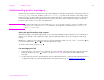
Understanding printer messages
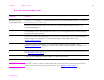
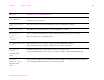
MEMORY SHORTAGE
JOB CLEARED
alternates with
READY
The printer did not have enough free memory to print the entire job. The remainder of the job
will not print and will be cleared from memory.
Press to continue.
Change the resource saving setting from the printer control panel (See “Control panel menus”
on page 172) or add more memory to the printer (See “Printer memory and expansion” on
page 197).
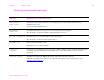
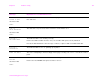
MEMORY SHORTAGE PAGE
SIMPLIFIED
alternates with
READY
The printer had to compress the job in order to fit it in available memory. Some data loss might
have occurred.
Press to continue.
The print quality of these pages might not be acceptable. Reduce the complexity of these pages
and reprint them.
You might want to add more memory to the printer (See “Printer memory and expansion” on
page 197).
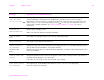
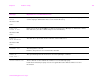
NO JOB TO CANCEL The C
ANCEL JOB key was pressed, but there is no active job or buffered data to cancel.
Message is displayed for approximately two seconds before the printer is returned to the
READY state.
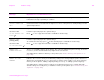
NON-HP CARTRIDGE
DETECTED
The printer has detected that the cartridge is not a genuine HP cartridge, and the message is
displayed for approximately 30 seconds before the printer is returned to the READY state. If you
think you purchased an HP print cartridge, call the HP fraud hotline (1-877-219-3183, toll-free in
North America). Any printer repair required as a result of using a non-HP print cartridge is not
covered under the printer warranty.
Message Explanation or recommended action