
Use Guide - 5th Chapter: Problem Solving

Chapter 5 Problem solving 109
Understanding printer messages
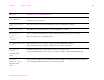
INSTALL CARTRIDGE The print cartridge has been removed or has been installed incorrectly. It must be replaced or
reinstalled correctly for printing to continue.
INSTALL CONNECTION
UNIT
Connection unit is not installed in the right access door of the printer to allow printing from the
optional input device.
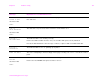
LOAD TRAY xx
alternates with
To use another tray
press .
A job is sent that requires a specific type and size that is not available.
Load the requested paper into optional Tray 1.
Press to use a type and size that is available in another tray.
MANUALLY FEED
[TYPE] [SIZE]
alternates with
To continue press .
Load the requested paper into optional Tray 1.
To override the message, press if the desired paper is available in another tray.
Press to use a type and size that is available in another tray.
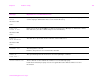
MEMORY FULL
STORED DATA LOST
There is no available memory in the printer. The current job might not print correctly, and some
resources (such as downloaded fonts) might have been deleted.
You might want to add more memory to the printer (See “Printer memory and expansion” on
page 197).
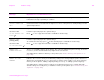
MEMORY SETTINGS
CHANGED
Indicates the resource saving or I/O buffering settings were changed by the printer because it
did not have enough memory to use the previous settings. This usually occurs after removing
memory from the printer, adding a duplex printing accessory, or adding a printer language.
You might want to change memory settings for I/O buffering and resource saving (although
default settings are usually best), or add more memory to the printer (See “Printer memory and
expansion” on page 197).
Message Explanation or recommended action