
Use Guide - 5th Chapter: Problem Solving

Chapter 5 Problem solving 108
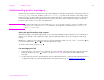
Understanding printer messages
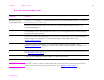
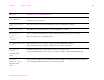
FLASH FILE OPERATION
FAILED
alternates with
READY
The requested operation could not be performed. You might have attempted an illegal operation,
such as trying to download a file to a non-existent directory.
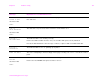
FLASH FILE
SYSTEM IS FULL
alternates with
READY
Delete files from the flash DIMM. Use HP LaserJet Resource Manager to download or delete
files and fonts. (See the software help for more information.)
FLASH IS
WRITE PROTECTED
alternates with
READY
The flash file is protected, and no new files can be written to it.
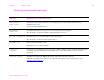
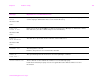
INCORRECT PIN The wrong PIN is entered.
Return to the previous screen and reenter the PIN.
INSERT OR
CLOSE TRAY x
The specified tray must be inserted or closed for printing to continue.
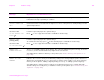
INSTALL BOOKLET BIN The booklet bin for the multifunction finisher is not installed properly.
Install the booklet bin properly. See the use guide that came with the finisher for more
information.
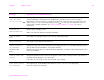
Message Explanation or recommended action