
Use Guide - 5th Chapter: Problem Solving

Chapter 5 Problem solving 105
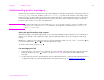
Understanding printer messages
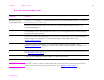
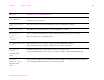
CARTRIDGE LOW - xxxx
PAGES ESTIMATED
To continue press
The message first appears when about eight percent of toner is remaining in the cartridge
(about 2,400 pages remaining for the 30,000-page cartridge at five percent coverage).
Depending on how the printer is configured, it will either continue to print or it will stop. If the
printer stops, you can resume printing by pressing for each job. You might want to have a
replacement cartridge available. See “Print cartridge conditions” on page 79 for more
information.
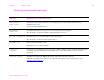
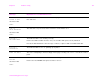
CARTRIDGE OUT
REPLACE CARTRIDGE
Drum in print cartridge is zero.
Order new authentic HP print cartridge (C8543X).
CHECKING PAPER
PATH
The engine is rotating its rollers to check for possible paper jams.
CHECKING PRINTER The engine is performing an internal test.
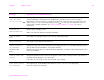
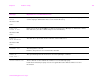
CHOSEN PERSONALITY
NOT AVAILABLE
alternates with
READY
A print job requested a printer language (personality) that does is not available with this printer.
The job will not print and will be cleared from memory.
Print the job using a driver for a different printer language, or add the requested language to the
printer (if available).
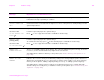
CLEARING PAPER FROM
PRINTER
The printer jammed or was turned on and paper is detected in a wrong location. The printer is
automatically attempting to eject the pages.
If possible, use the progress bar at the bottom of the display.
CLOSE FRONT DOOR ON
LEFT ACCESSORY
The stapler door on the multifunction finisher is open, or it is not closed properly.
Close the stapler door properly.
Message Explanation or recommended action