
Use Guide - 5th Chapter: Problem Solving


Chapter 5 Problem solving 96
Clearing jams
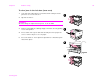
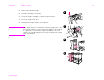
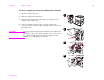
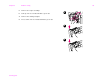
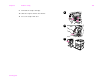
To clear a staple jam from the optional stapler/stacker
Note
The message JAM INSIDE STAPLER displays on the control panel.
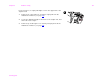
1 Slide the stapler/stacker away from the printer.
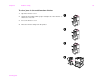
2 Open the stapler unit door.
3 On the staple cartridge, squeeze the tabs together and pull the
cartridge out.
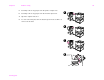
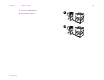
4 Pull the cartridge lever up.
1
2
3
4