
Use Guide - 5th Chapter: Problem Solving


Chapter 5 Problem solving 92
Clearing jams
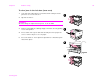
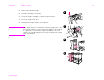
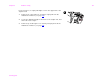
To clear jams in the left door (fuser area)
1 If an optional output device is installed, slide it away from the
printer to access the left door.
2 Open the left door.
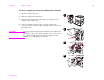
WARNING!
Avoid touching the adjacent fusing area. It can be HOT.
3 Remove any jammed or damaged paper from this area by pulling
it out of the printer.
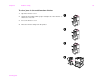
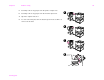
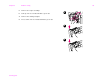
4 Press down on the green tab and carefully check for paper. Be
sure to remove all pieces of torn paper.
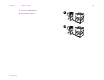
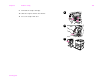
5 Close the left door. If an optional output device is installed, push
it back into place.
2
4
1
5