
HP Scripting Toolkit 9.10 for Linux User Guide

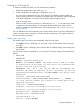
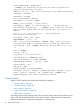
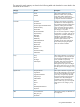
Table Of Contents
- HP Scripting Toolkit for Linux User Guide
- Contents
- 1 Introduction
- 2 Deployment using the Scripting Toolkit
- 3 Booting and OS installation
- 4 Scripting Toolkit utilities
- Native package formats
- Syntax conventions
- Utility online help
- Using Scripting Toolkit utilities
- Using REBOOT
- Using SETBOOTORDER
- Using STATEMGR
- Using RBSURESET
- Using BOOTEXTRACT
- Using HPDISCOVERY
- Using IFHW
- Using HWQUERY
- Using CONREP
- CONREP command-line syntax
- CONREP command line arguments
- CONREP return codes
- CONREP screen output
- CONREP -s (Store to Data file) Example usage for HP ProLiant servers not using the Oxx ROM family
- CONREP –l (Load from Data File) Example Usage for HP ProLiant servers not using the Oxx ROM family
- CONREP Data File Sample Contents for HP ProLiant servers not using the Oxx ROM family
- CONREP command file contents for HP ProLiant servers not using the Oxx ROM family
- Using HPRCU
- Using HPACUSCRIPTING
- Using HPLPCFG
- Using LO100CFG
- Using HPQLAREP
- Using HPONCFG
- 5 Troubleshooting
- 6 Support and other resources
- 7 Documentation feedback
- Acronyms and abbreviations
- Index
PreferredPathMode = Auto|Manual
; COMMENT: the following five entries are used to optimize the
controller performance for video
MNPDelay = 0|1|2|...|60 ; units are minutes, zero indicates disabled
IRPEnable = Yes|No
DPOEnable = Yes|No
ElevatorSortEnable = Yes|No
QueueDepth = 2|4|8|16|32|Auto
Array = A|B|C|D|E|F|G|...Z|a|b|c|d|e|f
OnlineSpare = None | N | Port:ID,Port:ID... | Box:Bay,Box:Bay... |
Port:Box:Bay,Port:Box:Bay,... ; COMMENT: These values are available
only in Custom method mode. In Auto method mode, the choices are
Yes|No.
Drive = * | N | Port:ID,Port:ID... | Box:Bay,Box:Bay... |
Port:Box:Bay,Port:Box:Bay,...
DriveType = SCSI | SAS | SATA
LogicalDrive = 1|2|3|...32
RAID = 0|1|5|50|6|60|adg|auto ; COMMENT: RAID 6 and 60 are only
available when SAAP is installed and the license key registered
ParityGroups = 2|N ; COMMENT: Necessary only for RAID 50 or 60. N
> 2
Size = [N]|Max
Sectors = 32|63
StripeSize = 8|16|32|64|128|256
ArrayAccelerator = Enable|Disable
LogicalDriveSSPState = Enable|Disable
SSPAdaptersWithAccess = [N],[N]...|None
PreferredPath = 1|2
HBA_WW_ID = WWN
ConnectionName = UserDefinedName
HostMode = Default | Windows | Windows(degrade | openVMS | Tru64 |
Linux | Solaris | Netware | HP | Windows Sp2 ; COMMENT: The
Windows(degrade value must be entered as written.
Script file options
Options in ACU script files are divided into the following categories:
• “Control category” (page 40)
• “Controller category” (page 40)
• “Array category” (page 43)
• “Logical Drive category” (page 44)
• “HBA category” (page 46)
Each category has several scripting options, but you do not always need to assign values to every
option. ACU can use default values in some instances, while in other instances, a listed option
might not be relevant for a particular configuration or scripting mode.
38 Scripting Toolkit utilities