
HP Scripting Toolkit 9.10 for Linux User Guide
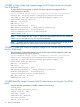

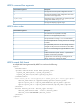
Table Of Contents
- HP Scripting Toolkit for Linux User Guide
- Contents
- 1 Introduction
- 2 Deployment using the Scripting Toolkit
- 3 Booting and OS installation
- 4 Scripting Toolkit utilities
- Native package formats
- Syntax conventions
- Utility online help
- Using Scripting Toolkit utilities
- Using REBOOT
- Using SETBOOTORDER
- Using STATEMGR
- Using RBSURESET
- Using BOOTEXTRACT
- Using HPDISCOVERY
- Using IFHW
- Using HWQUERY
- Using CONREP
- CONREP command-line syntax
- CONREP command line arguments
- CONREP return codes
- CONREP screen output
- CONREP -s (Store to Data file) Example usage for HP ProLiant servers not using the Oxx ROM family
- CONREP –l (Load from Data File) Example Usage for HP ProLiant servers not using the Oxx ROM family
- CONREP Data File Sample Contents for HP ProLiant servers not using the Oxx ROM family
- CONREP command file contents for HP ProLiant servers not using the Oxx ROM family
- Using HPRCU
- Using HPACUSCRIPTING
- Using HPLPCFG
- Using LO100CFG
- Using HPQLAREP
- Using HPONCFG
- 5 Troubleshooting
- 6 Support and other resources
- 7 Documentation feedback
- Acronyms and abbreviations
- Index

CONREP -s (Store to Data file) Example usage for HP ProLiant servers not using the
Oxx ROM family
To extract the BIOS settings from an SL160z G6 server and save the configuration to an
"sl160zconrep.dat" data file:
[root@ilo002481b08134 conrep]# ./conrep -s -xconrepSL160zg6_20090728.xml -fsl160zconrep.dat
conrep 3.00 - Scripting Toolkit Configuration Replication Program
Copyright (c) 2007-2012 Hewlett-Packard Development Company, L.P.
System Type: ProLiant SL160z G6
ROM Date : 07/28/2009
ROM Family : O33
Processor Manufacturer : Intel
XML System Configuration : conrep_SL160zg6_20090728.xml
Hardware Configuration : sl160zconrep.dat
Saving configuration data to sl160zconrep.dat.
CONREP Return code: 0
NOTE: The file names after the -x and -f options must be specified, otherwise, the default file
names conrep.xml and conrep.dat are used, respectively.
NOTE: A platform specific XML file needs to be used for HP ProLiant 100-series servers. If you
use the default name this may cause an error while running the CONREP utility.
CONREP –l (Load from Data File) Example Usage for HP ProLiant servers not using
the Oxx ROM family
To load the BIOS configuration settings from a previously captured/edited data file (in this case
“sl160zconrep.dat”) to an SL160z G6 server:
[root@ilo002481b08134 conrep]# ./conrep -l -xconrepSL160zg6_20090728.xml -fsl160zconrep.dat
conrep 3.00 - Scripting Toolkit Configuration Replication Program
Copyright (c) 2007-2012 Hewlett-Packard Development Company, L.P.
System Type: ProLiant SL160z G6
ROM Date : 07/28/2009
ROM Family : O33
Processor Manufacturer : Intel
XML System Configuration : conrep_SL160zg6_20090728.xml
Hardware Configuration : sl160zconrep.dat
Loading configuration from sl160zconrep.dat.
ASM values not set! aborting
CONREP Return code: 0
CONREP Data File Sample Contents for HP ProLiant servers not using the Oxx ROM
family
A typical data file generated by CONREP is similar to the following:
<Conrep_data>
<Section name="Controller_Order">
<Id0>0e 11 40 80 </Id0>
<Slot0>00 </Slot0>
<BusDev0>00 08 </BusDev0>
<Rest0>01 </Rest0>
<Id1>0e 11 ff ff </Id1>
32 Scripting Toolkit utilities