
HP Scripting Toolkit 9.10 for Linux User Guide
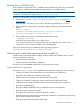
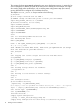
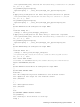
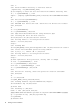
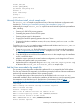
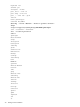
Table Of Contents
- HP Scripting Toolkit for Linux User Guide
- Contents
- 1 Introduction
- 2 Deployment using the Scripting Toolkit
- 3 Booting and OS installation
- 4 Scripting Toolkit utilities
- Native package formats
- Syntax conventions
- Utility online help
- Using Scripting Toolkit utilities
- Using REBOOT
- Using SETBOOTORDER
- Using STATEMGR
- Using RBSURESET
- Using BOOTEXTRACT
- Using HPDISCOVERY
- Using IFHW
- Using HWQUERY
- Using CONREP
- CONREP command-line syntax
- CONREP command line arguments
- CONREP return codes
- CONREP screen output
- CONREP -s (Store to Data file) Example usage for HP ProLiant servers not using the Oxx ROM family
- CONREP –l (Load from Data File) Example Usage for HP ProLiant servers not using the Oxx ROM family
- CONREP Data File Sample Contents for HP ProLiant servers not using the Oxx ROM family
- CONREP command file contents for HP ProLiant servers not using the Oxx ROM family
- Using HPRCU
- Using HPACUSCRIPTING
- Using HPLPCFG
- Using LO100CFG
- Using HPQLAREP
- Using HPONCFG
- 5 Troubleshooting
- 6 Support and other resources
- 7 Documentation feedback
- Acronyms and abbreviations
- Index

umount /mnt/dos
umount ${NFS_MAIN}
## unmount everything else
#umount -a
#echo "Rebooting"
#sleep 5
#/bin/reboot c:
Microsoft Windows install_win.sh sample script
The install_win.sh sample script performs many of the same hardware configuration tasks
described in “Performing an unattended operating system installation” (page 15).
Additionally, the sample install_win.sh script for Microsoft Windows performs preinstallation
tasks, including:
• Creating a 2 GiB FAT16 primary partition
• Formatting the partition for the FAT file system
• Creating a boot sector for the partition
• Copying the FreeDOS operating system to the new C drive
• Copying the Windows installation sources, the $oem$ directory, and unattend.txt files
to the C drive
To use the install_win.sh sample script to install Microsoft Windows and install_w2k8.sh
sample script to install Windows Server 2008:
1. Create an unattend.txt file by following the instructions in the Microsoft documentation
at (http://support.microsoft.com/kb/155197). A sample unattend.txt file is included in
the windows_unattend directory.
2. Copy the Windows source files to the installation source. In this sample script, the installation
source is a NFS file share.
3. Adapt the script to perform the correct hardware configuration, and change the NFS server
IP address and path to match your environment.
4. Update the syslinux configuration file (pxelinux.cfg, isolinux.cfg, or syslinux.cfg)
to reference the install_win.sh or install_w2k8.sh sample script.
Red Hat Linux anaconda-ks.cfg sample file
The operating system-dependent unattended installation file is not created by the Toolkit utilities.
The user must create the file separately. In the following example, bold lines indicate modifications
made to fully automate the installation of the operating system.
For a complete description of the options that can be modified in the anaconda-ks.cfg
unattended installation file to customize the installation of Red Hat Linux, see the operating system
documentation or the Red Hat Linux 9: Red Hat Linux Customization Guide at (http://
www.redhat.com/docs/manuals/linux/RHL-9-Manual/custom-guide/part-install-info.html).
lang en_US
REM *** Modify the network settings to reflect required
REM *** network settings.
network --bootproto dhcp
REM *** The IP address should be the address of the
REM *** Linux repository server. The /SHAREVOL/RedHatCD
REM *** must be shared as an NFS volume.
nfs --server 192.1.1.3 --dir /SHAREVOL/RedHatCD
device ethernet eepro100
Performing an unattended operating system installation 19