
HP Integrity rx1600 Operation and Maintenance Guide

Chapter 5
Utilities
Specifying SCSI Parameters
67
sysmode
Display or modify the system mode.
Syntax
sysmode <normal | admin| service>
Parameters
<normal> sets system mode to normal
<admin> sets system mode to admin
<service> sets system mode to service
Operation
If specified alone, sysmode displays the system mode. If a mode is specified as a parameter, then the system mode is changed.
This new mode takes effect immediately. The system mode is retained on successive boots. Interaction with sysmode in a
variety of scenarios is outlined below.
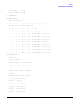
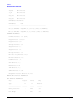
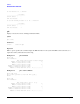
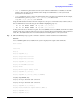
Example 5-19 sysmode Command
Shell> sysmode
System Mode: NORMAL
Shell> sysmode admin
You are now in admin mode.
Shell> sysmode service
You are now in service mode.
Shell> sysmode normal
You are now in normal mode
Specifying SCSI Parameters
The following SCSI parameters may be configured for the SCSI board:
• SCSI ID (SCSI initiator ID)
• Maximum data transfer rate (SCSI rate)
• Bus width
• Whether the HBA is bootable (driver support)
• Avoid bus resets (secondary cluster server)
Using the SCSI Setup Utility
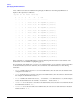
Step 1. At the EFI shell prompt, type this command to map the parameters for all PCI cards installed in the system:
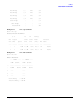
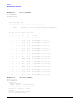
info io