
TMF Application Programmer's Guide (H06.05+)



TMF ARLIB2 Audit-Reading Procedures
HP NonStop TMF Application Programmer’s Guide—540139-002
5-96
How to Include Audit Reading in an
Application
The TMF audit-reading procedures are contained in a set of files that are delivered with
the TMF product. Table 5-4 summarizes the audit-reading procedure files.
Using FUP LICENSE and FUP PROGID to a Super group user will allow users other
than SUPER.SUPER users to run the program based on Guardian file security.
There are two ways to associate the TMFARUL2 library file with the application run
object file: the ELD -libname option, or the TACL RUN command LIB option.
Once the association is made, the LIB option does not need to specified to execute
the program. The RUN command LIB option can be used to change the location of
the TMFARUL2 file.
Examples:
ELD linkfile .. TMFARLB2 .. -o runfile -l ZCLIPDLL .. other
required DLL's ..
-libname $vol.subvol.TMFARUL2
FUP LICENSE (runfile, TMFARUL2)
TACL RUN /LIB TMFARUL2/ runfile
If -libname is part of the ELD step, then the TACL LIB option is not required unless
the TMFARUL2 file location changes.
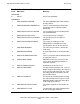
-902 ARE-FILE-NOT-FOUND The cursor is positioned to a sequence
number that does not correspond to an
audit file on disk, and audit restore failed or
is not enabled. This error condition can
result either from explicit cursor positioning
(ARPOSITION) or successive reads. No
further reads will be allowed for the current
cursor until it has been repositioned.
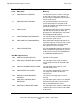
Internal Errors
-1000 ARE-INTERNAL-ERROR An exceptional condition occurred within
system code. Contact your service
provider.
-2000 ARE-MEMORY-ALLOCATION An internal memory allocation occurred.
Contact your service provider.
Table 5-3. Error Codes by Class (page 4 of 4)
Code DDL Name Meaning