
NonStop NS14000 Series Planning Guide (H06.13+)
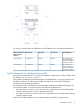
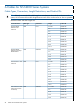
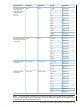


The values in this table show the identification for the Ethernet ports in the preceding illustration:
IP ConfigurationTCP/IP StackEthernet LIFEthernet PIFGMS for Ethernet Port
Location in VIO
Enclosure
IP: 192.231.36.10
GW: 192.231.36.9
$ZTCP0L1002RG10026.0.A100.2.6b Port A
Subnet: %hFFFFFF00
Hostname: osmlanx
IP: 192.231.36.11
GW: 192.231.36.9
$ZTCP1L1003RG10036.0.A100.3.6b Port A
Subnet: %hFFFFFF00
Hostname: osmlany
Initial Configuration for a Dedicated Service LAN
New systems are shipped with an initial set of IP addresses configured. For a listing of these initial
IP addresses, see “IP Addresses” (page 87).
Factory-default IP addresses for the Ethernet ports are available from your service provider (in the
Versatile I/O Manual.) IP addresses for SWAN concentrators are in the WAN Subsystem
Configuration and Management Manual.
HP recommends that you change these preconfigured IP addresses to addresses appropriate for
your LAN environment. You must change the preconfigured IP addresses on:
• A backup system console if you want to connect it to a dedicated service LAN that already
includes a primary system console or other system console
• Any system console if you want to connect it to a dedicated service LAN that already includes
a primary system console
Keep track of all the IP addresses in your system so that no IP address is assigned twice.
Dedicated Service LAN 91