
NonStop NS14000 Series Planning Guide (H06.13+)
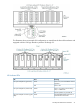
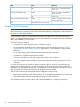
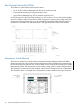
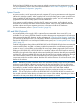
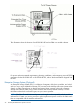
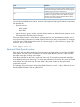

Each NonStop NS14000 series system requires multiple connections to the maintenance switch.
For more information, refer to the connections described in “Basic LAN Configuration” (page 86)
and “Fault-Tolerant Configuration” (page 86).
System Console
A system console is an HP approved personal computer (PC) running maintenance and diagnostic
software for NonStop systems. When supplied with a new NonStop system, system consoles have
factory-installed HP and third-party software for managing the system. You can install software
upgrades from the HP NonStop System Console Installer CD.
Some system console hardware, including the PC system unit, monitor, and keyboard, can be
mounted in the NonStop NS14000 series modular cabinet. Other PCs are installed outside the
modular cabinet and require separate provisions or furniture to hold the PC hardware.
For more information, refer to “System Consoles” (page 92).
UPS and ERM (Optional)
An uninterruptible power supply (UPS) is optional but recommended where a site UPS is not
available. You can use any UPS that meets the modular cabinet power requirements for all enclosures
being powered by the UPS; however, to take advantage of “OSM Power Fail Support” (page 98),
you must use the HP R5000 UPS. For information about the requirements for installing a UPS other
than the HP R5000 UPS in a NonStop NS14000 series system, see “Uninterruptible Power Supply
(UPS)” (page 37).
Cabinet configurations that include an HP R5000 UPS or HP R5500 XR UPS also have one extended
runtime module (ERM). An ERM is a battery module that extends the overall battery-supported
system run time. A second ERM can be added for even longer battery-supported system run time.
Adding an HP R5000 UPS or R5500 XR UPS to a modular cabinet in the field requires removing
the PDU on the right side of the modular cabinet and installing HP extension bars that are compatible
with the UPS. A factory-installed UPS ships with the HP extension bars already installed on the right
side of the modular cabinet. The PDU and extension bars are oriented inward, facing the
components within the modular cabinet. Both the UPS and the ERM are 3U and must reside in the
bottom of the cabinet.
NOTE: Retrofitting a system in the field with a UPS and ERMs will likely require moving all installed
enclosures in the modular cabinet to provide space for the new hardware. One or more of the
enclosures that formerly resided in the modular cabinet might be displaced and therefore have to
be installed in another modular cabinet that would also need a UPS and ERMs installed.
Additionally, lifting equipment might be required to lift heavy enclosures to their new location.
NOTE: The AC input power cord for the HP R5000 UPS or HP R5500 XR UPS is routed to exit
the modular cabinet at either the top or bottom rear corners of the cabinet, depending on what is
ordered for the site power feed, and the large output receptacle is unused.
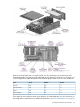
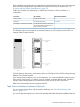
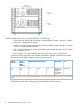
This illustration shows the location of an HP R5000 UPS and an ERM in a modular cabinet:
NonStop NS14000 Series Hardware 25