
iTP Secure WebServer System Administrators Guide (Version 7.5+)

6 Configuring the iTP Secure WebServer
This section contains the default iTP Secure WebServer configuration file and explains how
configuration directives can be used to affect server operation. “Configuration Directives” (page 198),
contains complete descriptions of all configuration directives.
Topics discussed in this section include:
• “Configuring Your Server” (page 94)
• “Managing Server Contents” (page 99)
• “Controlling File Caching” (page 105)
• “Managing Log Files” (page 108)
• “Setting Up Server Aliases” (page 111)
• “Setting Up Server Aliases” (page 111)
• “Customizing Server Error Messages” (page 126)
• “Setting Up Clickable Images” (page 127)
Configuring Your Server
The iTP Secure WebServer is shipped with a default configuration, contained in the file
httpd.config, located in the /usr/tandem/webserver/conf directory. You modify the
configuration by entering or changing the Tcl commands, called directives, in this file. (For an
overview of Tcl, see “Tool Command Language (Tcl) Basics” (page 276).)
The httpd.config file contains conditional file exists statements that enable the inclusion of
directives in other files. For example, directives required for the TLS or the SSL are included in the
httpd.stl.config file.
The iTP Secure WebServer Administration Server, described in “Managing the iTP Secure WebServer
From Your Browser” (page 182), enables you to use the facilities of your browser to modify
configuration files and restart the iTP Secure WebServer environment to implement a new
configuration.
The httpd Configuration File
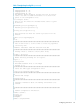
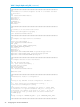
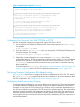
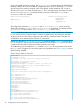
This example illustrates the contents of the httpd.config file:
Table 7 Sample httpd.config File
###############################################################
#
# This is an automatically generated configuration file for
# the iTP WebServer.
#
# See the server documentation for more information.
# Set the server root to the server’s installation directory.
#
set root /usr/tandem/webserver
ServerRoot $root
# The content negotiation might have value of NONE | LANG |
MULT,
# The default is NONE
#
Negotiation NONE
# LanguagePreference definition samples
#
# LanguagePreference {en, fr, es}
#
# LanguageSuffix definition samples
#
94 Configuring the iTP Secure WebServer