
iTP Secure WebServer System Administrators Guide (Version 7.5+)

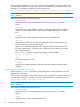
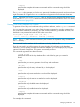
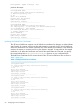
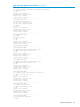
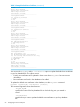
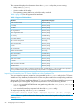
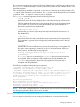

You can enter the arguments in any order. Enter the entire command on a single command line.
If a continuation character is necessary, you must use the backslash (\) character as shown; the
backslash is not permitted to break the DN value across lines.
bin/keyadmin -keydb keydb {-disable | -enable} \ -dn 'dn' [-root] [-verbose]
NOTE: The bin/ prefix indicates the directory that contains the keyadmin utility; the default is
the bin directory.
The command arguments have these functions:
-keydb keydb
specifies the name of the key database file in which the key pair you created is
stored.
-disable
specifies that you want to disable a certificate in the key database file. The certificate
remains in the key database file so that it can be enabled, as required, at a later
time.
-enable
specifies that you want to enable a certificate in the key database file.
-dn 'dn'
specifies the full DN for the new key pair. Enclose this DN with apostrophes (') to
protect it from being interpreted by the shell.
Make sure to include the same field values entered on the CA request form and in
the exact order that the CA specifies. Also, enclose any value containing a comma
with quotation marks (").
The keyadmin command accepts these characters in the DN fieldp:
A-Z a-z 0-9 (space) ' ( ) + , - . / :=?#
-root
treats the certificate as a root.
-verbose
specifies that complete information associated with the command string should be
displayed.
Changing the Key Database File Password
Use the following keyadmin command to change the password with which the server's key
database file is encrypted.
You can enter the arguments in any order. Enter the entire command on a single command line.
If a continuation character is necessary, you must use the backslash (\) character as shown.
bin/keyadmin -keydb keydb -chpw [-verbose]
NOTE: The bin/ prefix indicates the directory that contains the keyadmin utility; the default is
the bin directory.
The command arguments have these functions:
-keydb keydb
specifies the name of the key database file in which the key pair you created is
stored.
-chpw
specifies that you want to change the password.
62 Configuring for Secure Transport