
iTP Secure WebServer System Administrators Guide (Version 7.5+)
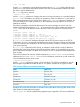


set hashList { SHA256 SHA1 MD5 }
AcceptSecureTransport -transport /G/ZTC0 -cert {DN=....}\
-hashAlgorithm $hashList
AccessLog
Syntax
AccessLog pathname [-remotePort] [-cookie]
Description
You set the AccessLog directive to the path name of the server accesslog file. This log file records
information about client requests, structuring the information in a format commonly used by other
HTTP server software. For further information about this format, see “Server Log File Formats”
(page 261)“Server Log File Formats” (page 261). For information about recording access information
in a different format, see “ExtendedLog” (page 211).
Only one AccessLog directive is allowed in the configuration file.
The AccessLog directive takes the following option:
-remotePort
when this option is set, REMOTE_PORT will be logged in the access log.
-cookie
when this option is set, cookies associated with the request, if any, are logged into the access log
entries.
For information about recording server and access errors, See “Managing Log Files” (page 108)
NOTE:
• To reflect the changes, you must restart the iTP Secure WebServer.
• This option is not set by default.
Default
None. If you do not set the AccessLog directive, no access log file is generated.
Example
AccessLog /usr/tandem/webserver/logs/access.log
AutomatedLogRolloverSize
Syntax
AutomatedLogRolloverSize <-1 / size>
where:
-1 indicates that this parameter is off.
size is the threshold size in megabytes (MB) to rollover log files.
Description
AutomatedLogRolloverSize is used to set the threshold limit for the log files to rollover. By
default, this directive is set to '-1', which indicates that there will be no automated rollover of log
files. When a value greater that zero is passed, the automated rollover is initiated and the value
passed is set as the threshold limit in megabytes (MB) to rollover the log files.
Default
AutomatedLogRolloverSize -1
206 Configuration Directives