
iTP Secure WebServer System Administrators Guide (Version 7.5+)

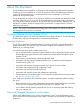


DescriptionSection
Provides general information about iTP Secure WebServer
error reporting. The messages are described in the iTP
Secure WebServer Operator Messages Manual.
Appendix B: Error Messages
Describes the formats used in the log files generated by
the server.
Appendix C: Server Log File Formats
Introduces the basic concepts relevant to setting up and
administering a secure Web server.
Appendix D: Security Concepts
Describes the basic Tcl concepts and language elements.Appendix E: Tool Command Language (Tcl) Basics
Lists the HTTP/1.1 features that the iTP Secure WebServer
supports.
Appendix F: HTTP/1.1 Feature List
List the Bibilography and online reference details.Appendix G: Bibliography
Notation Conventions
General Syntax Notation
This list summarizes the notation conventions for syntax presentation in this manual.
UPPERCASE LETTERS
Uppercase letters indicate keywords and reserved words. Type these items exactly as shown.
Items not enclosed in brackets are required. For example:
MAXATTACH
Italic Letters
Italic letters, regardless of font, indicate variable items that you supply. Items not enclosed in
brackets are required. For example:
file-name
Computer Type
Computer type letters indicate:
• C and Open System Services (OSS) keywords, commands, and reserved words. Type
these items exactly as shown. Items not enclosed in brackets are required. For example:
Use the cextdecs.h header file.
• Text displayed by the computer. For example:
Last Logon: 14 May 2006, 08:02:23
• A listing of computer code. For example
if (listen(sock, 1) < 0)
{
perror("Listen Error");
exit(-1);
}
Bold Text
Bold text in an example indicates user input typed at the terminal. For example:
ENTER RUN CODE
?123
CODE RECEIVED: 123.00
The user must press the Return key after typing the input.
[ ] Brackets
Brackets enclose optional syntax items. For example:
18