
Integrated Lights-Out 3 technology




9
drives, create an emergency repair disk, and perform disaster recovery of failed operating systems,
among other tasks.
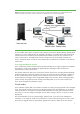
iLO 3 uses a client-server model to perform virtual media functions. It streams the virtual media data across
a live network connection between the remote management console and the managed server. The Java
and Windows IRC provides the data to iLO 3 when requested.
The virtual media capability lets you insert a virtual USB device remotely into the managed server. When
you insert the virtual media, the server OS activates the appropriate USB device support. Because iLO 3
uses standard, built-in USB drivers, the virtual media devices are available to OSes that support USB,
without additional HP drivers running on the server. Different OSes provide varying levels of USB support.
See the http://h18004.www1.hp.com/products/servers/management/ilo/documentation.html for more
information.
Web-based or scriptable virtual media
You can store floppy, CD, and DVD image files on a web server and have iLO 3 access them over a web
browser using HTTP/HTTPS protocols. You can use an XML script, IRC, or a command-line interface over
SSH to send the URL of the image file to iLO 3. You do not need to open the IRC if you use an XML script
or a command-line interface.
If the client connects to the target server across a wide-area network, you get the highest performance if
the Virtual Media web server is located on a network segment close to the target server.
Virtual folders
Virtual folder technology lets you copy files from client file systems to remote servers using simple “drag
and drop” techniques. The iLO 3 virtual folder emulates a USB device, and creates a media image of the
selected folder or directory. After creating a virtual image of the folder or directory, the server connects to
the created image as a USB storage device. This lets you browse to the server and transfer the files from
the iLO 3-generated image to any location on the server.
The Virtual Folder feature is only available within IRC. The virtual folder is compatible with FAT16 file
systems (Windows and Linux). It can contain a maximum of 2GB of data, mounts as read-only folder, and
is non-bootable.
Power Management Capabilities
Virtual power control
iLO 3 lets you power cycle a server remotely as easily as pushing the physical power button. Virtual
power support lets you power on, power off, and power cycle the server.
Like other aspects of iLO 3, the virtual power feature is independent of the OS. However, iLO 3 can take
advantage of OS-supported power features. With ACPI-compliant OSes like Windows Server 2008, the
momentary press of the virtual power button initiates a graceful shutdown of the OS before turning off the
power. You can observe the shutdown process through the remote console window.
Some OSes can establish power policies so that only the OS can shut down the server unless you press
the power button for an extended time. The virtual power feature of iLO 3 lets you override such a power
policy and force a server shutdown.
Managing server power
The server processor is one of the greatest power consumers in ProLiant servers. iLO 3 can monitor
processor power states and can measure peak and average server power use.
HP ProLiant G7 servers have enhanced iLO 3 firmware that monitors and manages thermal parameters for
thermal sensors in disk drives, fans, power supplies, and DIMMs. This allows iLO 3 to optimize the fan