
HP ProLiant Integrated Lights-Out 2 v 2.00 User Guide

Operational overview 10
proper server cooling. In addition to temperature monitoring, iLO 2 provides fan status monitoring
and monitoring of the status of the power supplies, voltage regulators, and the internal hard drives.
These examples are just a few ways iLO 2 is used to manage HP ProLiant servers from your office, home,
or travel location. As you begin using iLO 2 and defining your specific infrastructure requirements refer to
this guide for additional ways to simplify your remote server management needs.
For information about the features available in each version of iLO 2, see "Licensing (on page 25)."
Differences between iLO 2 and iLO
iLO 2 is based on the iLO and shares many common features. However, to use iLO 2 to access a pre-
operating system, text-based remote console, you must use the remote serial console. For more
information, see "Text-based remote console overview (on page 99)."
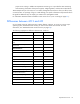
The following highlights the differences between iLO 2 and iLO:
Feature iLO 2 iLO
Standard features
Text console Pre-OS Pre-OS and OS
Remote Serial Console (virtual serial
port)
Pre-OS and OS Pre-OS and OS
Server health monitoring and
maintenance
Yes No
Advanced features
Text console Pre-OS and OS Pre-OS and OS
Remote console Yes (Virtual KVM
)
Yes
Integrated Remote Console Yes No
Support for Microsoft® JVM Yes No
Remote Console Acquire button Yes Yes
Terminal Services integration Yes Yes
HP schema directory integration Yes Yes
Schema-free directory integration Yes Yes
Two-factor authentication Yes Yes
Power Regulator reporting Yes Yes
Virtual Floppy and CD/DVD-ROM Yes Yes
USB key virtual media Yes Yes
Virtual folder Yes No