
HP iLO 4 User Guide


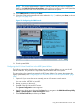


the remote server. After you configure the hot key, press Ctrl+X in the Remote Console window
whenever you want to use Alt+F4 on the remote server.
Example 2: If you want to create a hot key to send the international AltGR key to the remote server,
use R_ALT in the key list.
Creating a hot key
You must have the Configure iLO Settings privilege to create hot keys.
1. Navigate to the Remote Console→Hot Keys page, as shown in Figure 106 (page 204).
Figure 106 Remote Console – Hot Keys page
2. For each hot key that you want to define, select the key combination to send to the remote
server.
To configure hot keys to generate key sequences from international keyboards, select the key
on a U.S. keyboard that is in the same position as the desired key on the international
keyboard. Table 15 (page 204) lists the available keys.
Table 15 Keys for configuring hot keys
g1SCRL LCKESC
h2SYS RQL_ALT
I3F1R_ALT
j4F2L_SHIFT
k5F3R_SHIFT
l6F4L_CTRL
m7F5R_CTRL
n8F6L_GUI
o9F7R_GUI
p;F8INS
q=F9DEL
r[F10HOME
204 Using iLO