
HP iLO 4 Scripting and Command Line Guide
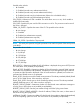
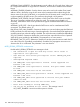
IPV6_PRIM_DNS_SERVER, IPV6_SEC_DNS_SERVER, and IPV6_TER_DNS_SERVER are used to
specify primary, secondary, and tertiary IPv6 DNS server addresses. Values must be valid literal
IPv6 addresses in string form. These addresses are used in addition to the IPv4 DNS server
addresses. Clear address entries by specifying blank IPv6 addresses (“::”). When iLO Client
applications are configured to prefer IPv6 (see IPV6_PREFFERED_PROTOCOL) the order of use will
be:
1. IPV6_PRIM_DNS_SERVER
2. PRIM_DNS_SERVER
3. IPV6_SEC_DNS_SERVER
4. SEC_DNS_SERVER
5. IPV6_TER_DNS_SERVER
6. TER_DNS_SERVER
When IPv4 protocol is preferred by iLO clients, the order of IPv6 and IPv4 is reversed for each of
primary, secondary, and then tertiary settings respectively.
IPV6_DEFAULT_GATEWAY allows you to add an IPv6 address to the default gateway address list
maintained by the ILO network stack. This is primarily for environments when no RA (router
advertised) messages are present on the network. The value must be a valid literal IPv6 address
in string form. Clear address entry by specifying a blank IPv6 address (“::”).
IPV6_ADDR_AUTOCFG enables or disables RFC 4862 SLAAC (Stateless Address Auto
Configuration). Value must be either Y (enabled) or N (disabled). When enabled, iLO creates IPv6
addresses for itself from RA prefixes as appropriate. When disabled, only the link-local address
is automatically configured. Router advertisements are still monitored but not used for SLAAC
address creation.
IPV6_REG_DDNS_SERVER enables or disables automatic DNS server IPv6 address registration.
Value must be either Y (enabled) or N (disabled). When enabled, iLO attempts to register AAAA
and PTR records for its IPv6 addresses with the DNS server.
IPV6_PREFERRED_PROTOCOL enables or disables using IPv6 addresses as preferred. Value must
be either Y (enabled) or N (disabled). When enabled, iLO client applications use IPv6 service
addresses before IPv4 service addresses when both are configured. Client applications affected
by this setting currently are the DNS name resolver and SNTP. In SNTP, if FQDNs are configured,
and the DNS name resolver returns both A (IPv4) and AAAA (IPv6) records, the addresses are
tried in order specified by this setting. For the DNS name resolver, if both IPv4 and IPv6 DNS
addresses are configured, this setting determines the order of use for the primary addresses, then
the secondary addresses, and finally the tertiary addresses.
DHCPV6_STATELESS_ENABLE and DHCPV6_STATEFUL_ENABLE modifies the operational mode
of DHCPv6. The values for both of these parameters can be either Y (enabled) or N (disabled).
• DHCPV6_STATEFUL_ENABLE is analagous to DHCPv4, and enables the configuration of a
node address and additional parameters such as NTP server location and time zone.
• DHCPV6_STATELESS_ENABLE enables the configuration of parameters such as NTP server
location but does not provide for the configuration of a node address. This mode may be used
with IPv6 Stateless Address Auto-Configuration (SLAAC) to provide configuration data that
cannot otherwise be provided.
DHCPV6_STATELESS_ENABLE and DHCPV6_STATEFUL_ENABLE work together in a DHCPv6
environment. In most environments, if DHCPV6_STATEFULL_ENABLE is enabled (which provides
a subset of information available via DHCPV6_STATEFUL_ENABLE) this implies that
DHCPV6_STATELESS_ENABLE should also be enabled. Value must be either Y (enabled) or N
(disabled).
DHCPV6_RAPID_COMMIT is used when DHCPV6_STATEFUL_ENABLE is enabled. It provides a
reduction in the amount of DHCPv6 network traffic needed to assign addresses, but should not be
used if more than one DHCPv6 server is present in the network for the purpose of assigning
RIB_INFO 95