
HP iLO 4 Scripting and Command Line Guide
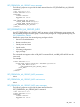
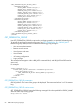
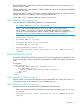

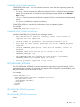
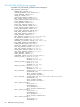
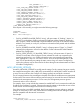
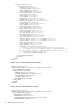
<GET_FEDERATION_ALL_GROUPS_INFO>
<FEDERATION_GROUP>
<GROUP_NAME VALUE="Group1"/>
<ADMIN_PRIV VALUE="Yes"/>
<REMOTE_CONS_PRIV VALUE="Yes"/>
<RESET_SERVER_PRIV VALUE="Yes"/>
<VIRTUAL_MEDIA_PRIV VALUE="Yes"/>
<CONFIG_ILO_PRIV VALUE="Yes"/>
<LOGIN_PRIV VALUE="Yes"/>
</FEDERATION_GROUP>
<FEDERATION_GROUP>
<GROUP_NAME VALUE="Group2"/>
<ADMIN_PRIV VALUE="Yes"/>
<REMOTE_CONS_PRIV VALUE="Yes"/>
<RESET_SERVER_PRIV VALUE="No"/>
<VIRTUAL_MEDIA_PRIV VALUE="No"/>
<CONFIG_ILO_PRIV VALUE="Yes"/>
<LOGIN_PRIV VALUE="Yes"/>
</FEDERATION_GROUP>
</GET_FEDERATION_ALL_GROUPS_INFO>
</RIBCL>
GET_FEDERATION_GROUP
Use GET_FEDERATION_GROUP to retrieve the privileges granted to a specified Federated group.
To retrieve the privileges granted to all groups, use GET_FEDERATION_ALL_GROUPS_INFO.
Besides the group name, the return includes the following group privileges:
• User account administration
• Remote console access
• Virtual power and reset
• Virtual media
• iLO setting configuration
• Login privilege
The command must appear within a RIB_INFO command block, and RIB_INFO MODE must be
set to read.
For example:
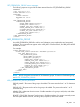
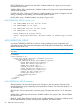
<RIBCL VERSION="2.0">
<LOGIN USER_LOGIN="adminname" PASSWORD="password">
<RIB_INFO MODE="read">
<GET_FEDERATION_GROUP GROUP_NAME="groupname"/>
</RIB_INFO>
</LOGIN>
</RIBCL>
GET_FEDERATION_GROUP parameters
GROUP_NAME—The name of the group to be displayed. The name must be from 1 to 31 characters
long.
GET_FEDERATION_GROUP runtime errors
GET_FEDERATION_GROUP returns the following message if the value specified for GROUP_NAME
does not match any existing groups:
Group name not found.
82 RIBCL XML Scripting Language