
HP iLO 4 Scripting and Command Line Guide


The following properties are available in:
/system1
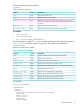
Table 24 System Properties
DescriptionAccessProperty
Displays the system name.Readname
Displays the system serial number.Readnumber
Displays the host server name string. This string can be up to 50
characters in length, and requires the Configure iLO Settings privilege
to change.
Readoemhp_server_name
Appears if the server is powered up.Readenabledstate
Displays the number of logical processors in the system.Readprocessor_number
For example
• show /system1
• show /system1 name
• set /system1 oemhp_powerreg=auto
The CPU property is a target of /system1 and displays information about the system processor.
Table 25 (page 61) shows the System CPU properties. The properties are available at:
/system1/cpun
Where n is the processor number.
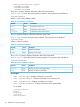
Table 25 System CPU Properties
DescriptionAccessProperty
Displays manufacturer information about the processor.Readname
Displays status information.Readstatus
Displays the number of processor cores.Readnumber_cores
Displays the number of active processor cores.Readactive_cores
Displays the total number of threads on the active processor cores.Readthreads
Displays the processor speed.Readspeed
Displays the bit level technology of the memory.Readmemory_technology
Displays the size of the processor level-1 cache.Readcachememory1
Displays the size of the processor level-2 cache.Readcachememory2
Displays the size of the processor level-3 cache.Readcachememory3
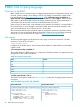
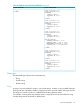
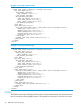
For example:
show /system1/cpu1
/system1/cpu1
Targets
Properties
name= Intel(R) Xeon(R) CPU E5-2670 0 @ 2.60GHz
status=OK
number_cores=8
active_cores=8
threads=16
speed=2600MHz
Specific commands 61