
HP iLO 4 Scripting and Command Line Guide
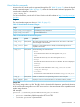
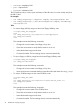
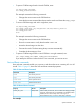
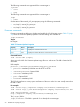

The following commands are supported if the current target is:
/system1
• start
• stop
The following commands are supported if the current target is:
/map1
• reset
Set the status of the manual_iLO_reset property using the following commands:
• set /map1/ manual_ilo_reset=yes
• set /map1/ manual_ilo_reset=no
Firmware commands
Firmware commands enable you to display and modify the iLO 4 firmware version. Table 17 (page
54) shows the Firmware Update properties. Firmware settings are available at:
/map1/firmware1
Targets
No targets
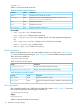
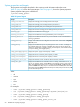
Table 17 Firmware Update Properties
DescriptionAccessProperty
Displays the current firmware version.readversion
Displays the release date of the current firmware version.readdate
Command format
load -source URL [target]
where URL is the URL of a firmware update image file on a web server. The URL is limited to 80
characters.
URL example:
protocol://username:password@hostname:port/filename
• protocol—Mandatory field that must be HTTP or HTTPS.
• username:password—Optional field
• hostname—Mandatory field
• port—Optional field
• filename—Mandatory field
The CLP only performs a cursory syntax verification of the URL value. You must visually ensure that
the URL is valid.
For example
load -source http://imgserver.company.com/firmware/iloFWimage.bin
load -source http://john:abc123@imgserver.company.com/firmware/ilo.bin
load /map1/firmware1 -source
http://imgserver.company.com/firmware/iloFWimage.bin
The [target] field is:
/map1/firmware1—This field is optional if it is already the current target.
54 SMASH CLP Scripting Language