
HP iLO 4 Scripting and Command Line Guide
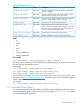
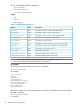
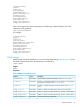
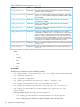

/system1/sensor1
Targets
Properties
DeviceID=VRM 1
ElementName=CPU 1
OperationalStatus=Ok
RateUnits=Volts
CurrentReading=0
SensorType=Voltage
HealthState=Ok
oemhp_CautionValue=0
oemhp_CriticalValue=0
Other sensor targets show system temperatures. The following command displays one of the
temperature zone properties:
show system1/sensor3
For example:
/system1/sensor3
Targets
Properties
DeviceID=Temp 1
ElementName=I/O Board Zone
OperationalStatus=Ok
RateUnits=Celsius
CurrentReading=32
SensorType=Temperature
HealthState=Ok
oemhp_CautionValue=68
oemhp_CriticalValue=73
SNMP settings
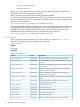
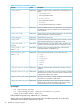
SNMP settings commands enable you to view and modify SNMP settings. Table 9 (page 47) shows
the SNMP command properties. SNMP settings are available at:
/map1/snmp1
Targets
None
Properties
Table 9 SNMP Command Properties
DescriptionAccessProperty
Sets the SNMP trap destination address, where <n> is 1, 2, or 3.Read/Writeaccessinfo<n>
Displays or modifies SNMP read community address for when Agentless
Management is enabled, where <n> is 1, 2, or 3.
Read/Writereadcom<n>
Displays or modifies SNMP trap community address, where <n> is 1,
2, or 3.
Read/Writetrapcom<n>
Enables or disables iLO SNMP alerts. Boolean values accepted.Read/Writeoemhp_iloalert
Enables or disables host agent SNMP alerts. Boolean values accepted.Read/Writeoemhp_agentalert
Enables or disables iLO SNMP pass-through. Boolean values accepted.Read/Writeoemhp_snmppassthru
Sets the Insight Manager Agent URL.Read/Writeoemhp_imagenturl
Specific commands 47