
HP iLO 4 Scripting and Command Line Guide


set Sets a property or set of properties to a specific value, and resets iLO to
implement the changes.
start Causes a target to change the state to a higher run level.
stop Causes a target to change the state to a lower run level.
version The command queries the version of the CLP implementation or other CLP
elements.
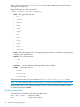
For example:
hpiLO-> version
status=0
status_tag=COMMAND COMPLETED
SM-CLP Version 1.0
oemhp_ping The command determines if an IP address is reachable from the current
iLO session.
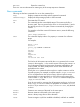
For example:
oemhp_ping 192.168.1.1
Where 192.168.1.1 is the IP address you are testing.
Specific commands
The following sections cover iLO 4-specific commands available when using the command line,
including:
• “User commands” (page 38)
• “HP SSO settings” (page 39)
• “Network commands” (page 41)
• “iLO 4 settings” (page 44)
• “iLO 4 embedded health settings” (page 45)
• “SNMP settings” (page 47)
• “License commands” (page 49)
• “Directory commands” (page 49)
• “Virtual Media commands” (page 51)
• “Start and Reset commands” (page 53)
• “Firmware commands” (page 54)
• “Eventlog commands” (page 55)
• “Blade commands” (page 56)
• “Boot commands” (page 56)
• “LED commands” (page 59)
• “System properties and targets” (page 60)
• “Other commands” (page 63)
User commands
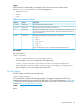
User commands enable you to view and modify user settings. Table 5 (page 39) shows the User
Command properties. User settings are located at:
/map1/accounts1.
38 SMASH CLP Scripting Language