
HP iLO 4 Scripting and Command Line Guide
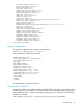
<F8_PROMPT_ENABLED VALUE="Y"/>
<F8_LOGIN_REQUIRED VALUE="N"/>
<HTTPS_PORT VALUE="443"/>
<HTTP_PORT VALUE="80"/>
<REMOTE_CONSOLE_PORT VALUE="17990"/>
<VIRTUAL_MEDIA_PORT VALUE="17988"/>
<SNMP_ACCESS_ENABLED VALUE="Y"/>
<SNMP_PORT VALUE="161"/>
<SNMP_TRAP_PORT VALUE="162"/>
<SSH_PORT VALUE="22"/>
<SSH_STATUS VALUE="Y"/>
<SERIAL_CLI_STATUS VALUE="Enabled-Authentication Required"/>
<SERIAL_CLI_SPEED VALUE="9600"/>
<VSP_LOG_ENABLE VALUE="N"/>
<MIN_PASSWORD VALUE="8"/>
<AUTHENTICATION_FAILURE_LOGGING VALUE="Enabled-every 3rd failure"/>
<RBSU_POST_IP VALUE="Y"/>
<ENFORCE_AES VALUE="N"/>
<IPMI_DCMI_OVER_LAN_ENABLED VALUE="Y"/>
<REMOTE_SYSLOG_ENABLE VALUE="N"/>
<REMOTE_SYSLOG_PORT VALUE="514"/>
<REMOTE_SYSLOG_SERVER_ADDRESS VALUE=""/>
<ALERTMAIL_ENABLE VALUE="N"/>
<ALERTMAIL_EMAIL_ADDRESS VALUE=""/>
<ALERTMAIL_SENDER_DOMAIN VALUE=""/>
<ALERTMAIL_SMTP_PORT VALUE="25"/>
<ALERTMAIL_SMTP_SERVER VALUE=""/>
<PROPAGATE_TIME_TO_HOST VALUE="Y"/>
</GET_GLOBAL_SETTINGS>
Setting a configuration
Set a specific configuration by using the command format:
hponcfg /f add_user.xml /l log.txt
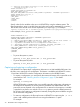
In this example, the input file has contents:
<RIBCL VERSION="2.0">
<LOGIN USER_LOGIN="x" PASSWORD="x">
<USER_INFO MODE="write">
<ADD_USER
USER_NAME="Landy9"
USER_LOGIN="mandy8"
PASSWORD="floppyshoes">
<ADMIN_PRIV value ="No"/>
<REMOTE_CONS_PRIV value ="Yes"/>
<RESET_SERVER_PRIV value ="No"/>
<VIRTUAL_MEDIA_PRIV value ="No"/>
<CONFIG_ILO_PRIV value="Yes"/>
</ADD_USER>
</USER_INFO>
</LOGIN>
</RIBCL>
The specified user is added to the device.
Using variable substitution
HPONCFG enables you to specify variables in the XML RIBCL script and to assign values to those
variables when you run HPONCFG. This feature helps to avoid rewriting the XML script file every
time with different values. Anything enclosed by two percent sign (%) characters in the XML file is
considered a variable.
In this example, %username%, %loginname%, and %password% are variables:
HPONCFG utility 29