
HP iLO 4 Scripting and Command Line Guide
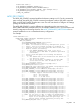
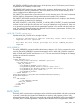
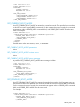
SERVER_INFO requires the MODE parameter with a value of read or write. MODE is a specific
string parameter with a maximum length of 10 characters that specifies what you intend to do with
the information.
Write mode enables both the reading and writing of iLO information. Read mode prevents
modification of iLO information.
For example:
<SERVER_INFO MODE="read">
……… SERVER_INFO commands ………
</SERVER_INFO>
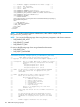
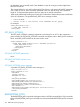
Reset server example:
<RIBCL VERSION="2.0">
<LOGIN USER_LOGIN="adminname" PASSWORD="password">
<SERVER_INFO MODE="write">
<RESET_SERVER/>
</SERVER_INFO>
</LOGIN>
</RIBCL>
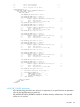
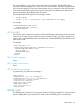
Set host power example:
<RIBCL VERSION="2.0">
<LOGIN USER_LOGIN="adminname" PASSWORD="password">
<SERVER_INFO MODE="write">
<!-- Modify the HOST_POWER attribute to toggle power on the host server -->
<!-- HOST_POWER="No" (Turns host server power off) -->
<!-- A graceful shutdown will be attempted for ACPI-aware -->
<!-- operating systems configured to support graceful shutdown. -->
<!-- HOST_POWER="Yes" (Turns host server power on) -->
<SET_HOST_POWER HOST_POWER="No"/>
</SERVER_INFO>
</LOGIN>
</RIBCL>
GET_TPM_STATUS
Use GET_TPM_STATUS to retrieve the status of the Trusted Platform Module. The response includes
whether a TPM is supported, if a TPM is present, and whether the TPM is enabled (indicated by
YES or NO). The specified user must have a valid iLO account to execute RIBCL commands. For
this command to parse correctly, the command must appear within a SERVER_INFO command
block, and SERVER_INFO MODE must be set to read.
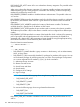
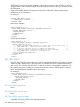
For example:
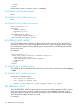
<RIBCL VERSION="2.0">
<LOGIN USER_LOGIN="adminname" PASSWORD="password">
<SERVER_INFO MODE="read">
<GET_TPM_STATUS/>
</SERVER_INFO>
</LOGIN>
</RIBCL>
GET_TPM_STATUS parameters
None
GET_TPM_STATUS runtime errors
None
GET_TPM_STATUS return messages
A possible GET_TPM_STATUS return message includes:
148 RIBCL XML Scripting Language