
HP iLO 4 Scripting and Command Line Guide
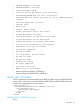

• PROFILE_OPTIONS is too long.
• PROFILE_ACTION is too long.
• Problem manipulating EV
• There are missing parameters in the xml script.
• The PROFILE_ACTION does not have a valid value.
• User does NOT have correct privilege for action. CONFIG_ILO_PRIV
required.
• The value specified is invalid.
• Internal error.
• Retry later.
• Invalid, do not repeat.
• Profile descriptor name is not correct.
• Profile descriptor too large.
• Profile Descriptor is read only or write only.
• Profile descriptor has not been found.
• Profile descriptor is currently unavailable.
• The iLO is not configured for this command.
• Blob Store is not yet initialized.
• Feature not supported
• No data available
• Post in progress, EV unavailable.
• EV name too large.
• EV data too large.
• There is no such EV.
• EV is not supported.
• EV is not initialized.
• ROM is busy, EV unavailable.
• Need a value for the PROFILE_OPTIONS tag.
• Need a value for the PROFILE_DESC_NAME tag.
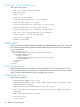
PROFILE_APPLY_GET_RESULTS
Use this command to retrieve the results from the PROFILE_APPLY script. Use HPQLOCFG.EXE
version 1.00 or later with this command. Replace USER_LOGIN and PASSWORD values with
values that are appropriate for your environment.
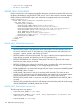
<RIBCL VERSION="2.0">
<LOGIN USER_LOGIN="adminname" PASSWORD="password">
<RIB_INFO MODE="read">
<PROFILE_APPLY_GET_RESULTS/>
</RIB_INFO>
</LOGIN>
</RIBCL>
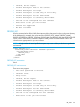
PROFILE_APPLY_GET_RESULTS parameters
None
RIB_INFO 131