
HP iLO 4 Scripting and Command Line Guide
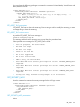

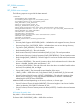
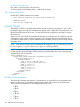
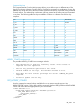

GET_HOTKEY_CONFIG parameters
None
GET_HOTKEY_CONFIG runtime errors
A possible GET_HOTKEY_CONFIG error message is:
Unable to get the hot keys.
GET_HOTKEY_CONFIG return messages
An example of the information returned with the response:
<GET_HOTKEY_CONFIG>
<CTRL_T VALUE="L_CTRL,L_ALT,ESC,NONE,NONE"/>
<CTRL_U VALUE="L_SHIFT,F10,F12,NONE,NONE"/>
<CTRL_V VALUE="NONE,NONE,NONE,NONE,NONE"/>
<CTRL_W VALUE="NONE,NONE,NONE,NONE,NONE"/>
<CTRL_X VALUE="NONE,NONE,NONE,NONE,NONE"/>
<CTRL_Y VALUE="NONE,NONE,NONE,NONE,NONE"/>
</GET_HOTKEY_CONFIG>
PROFILE_APPLY
You can script automated server configuration packages (deployment settings) to install multiple
servers through iLO using PROFILE scripts.
Use PROFILE_APPLY to apply deployment settings in iLO 4. Use HPQLOCFG.EXE version 1.00 or
later with this command. Replace USER_LOGIN and PASSWORD values with values that are
appropriate for your environment.
<RIBCL VERSION="2.2">
<LOGIN USER_LOGIN="adminname" PASSWORD="password">
<RIB_INFO MODE="write">
<PROFILE_APPLY>
<PROFILE_DESC_NAME VALUE="profile_desc_name"/>
<PROFILE_OPTIONS VALUE="none"/>
<PROFILE_ACTION VALUE="Stage"/>
</PROFILE_APPLY>
</RIB_INFO>
</LOGIN>
</RIBCL>
PROFILE_APPLY parameters
NOTE: All text fields must not contain inner quotes or new-line characters.
• PROFILE_DESC_NAME is the descriptive name of the profile. The value must be unique on
the server, and be a maximum of 27 characters long. Only alphanumerics and underscores
are accepted; spaces, periods, and slashes are invalid. An empty string is invalid.
• PROFILE_OPTIONS is currently unused — always set it to none. An empty string is invalid.
• PROFILE_ACTION is a toggle that controls whether the profile is immediately applied or is
staged until the next reboot. Valid values are Stage and Apply_Now.
PROFILE_APPLY runtime errors
These errors may appear:
• PROFILE_DESC_NAME is too long.
• PROFILE_DESC_NAME is not valid. Only alphanumeric characters and
underscore are allowed.
130 RIBCL XML Scripting Language